My Design
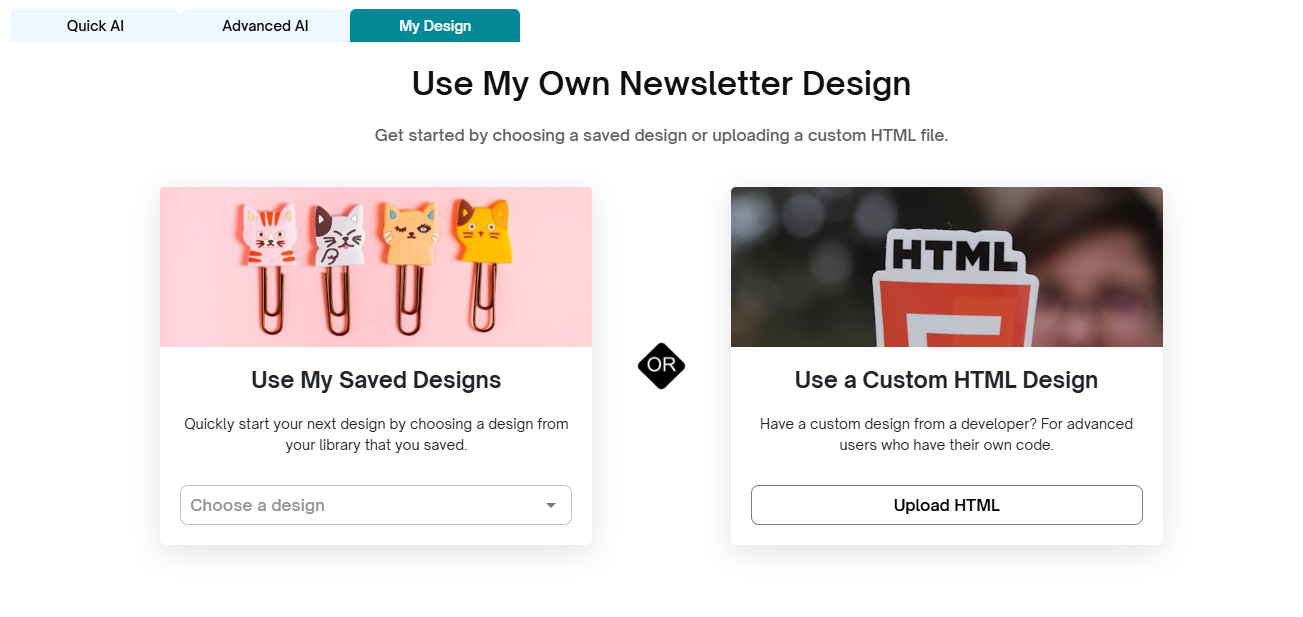
The My Design tab allows you to create newsletters using your own pre-existing or custom layouts. This tab provides two options:
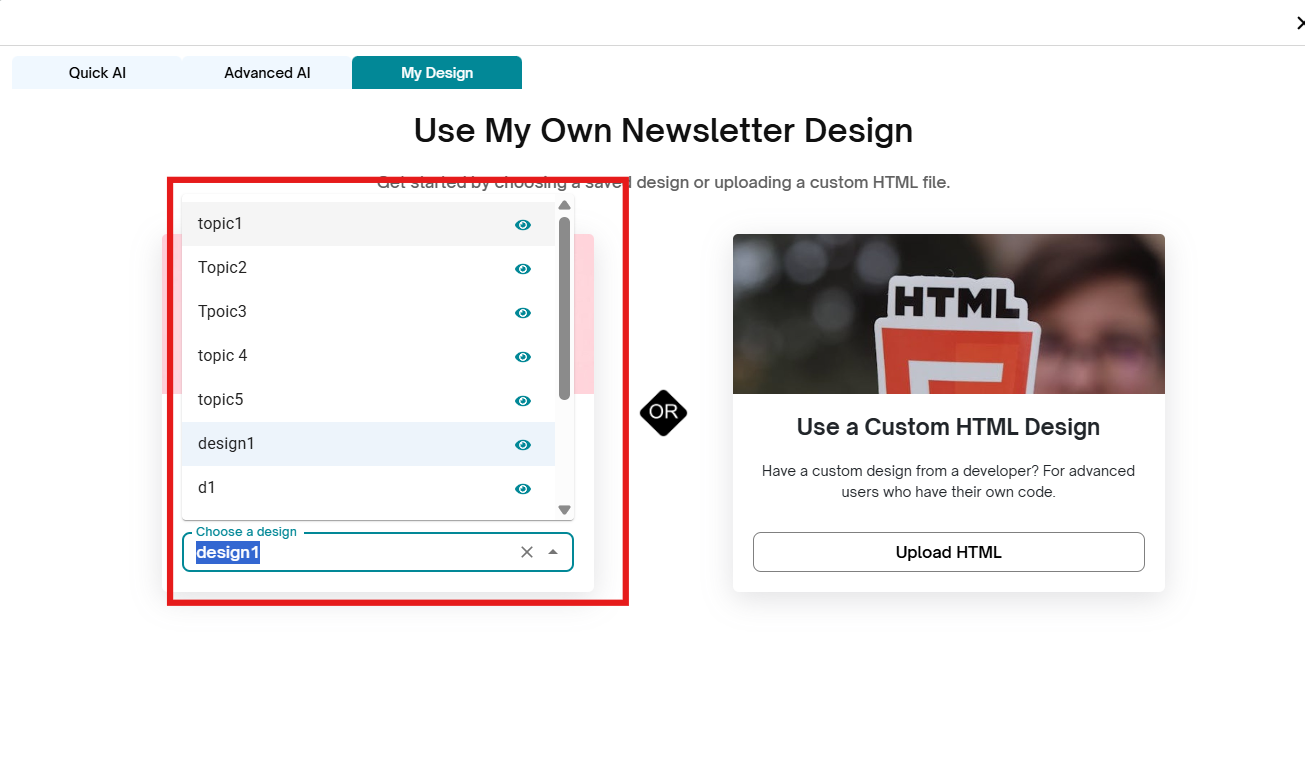
Use My Saved Design
Choose this option if you’ve previously created and saved a newsletter design in Aida.
Saved designs make it easy to maintain a consistent look and feel across multiple campaigns.
Simply select your preferred design from the list, and it will load into the editor for further customization.
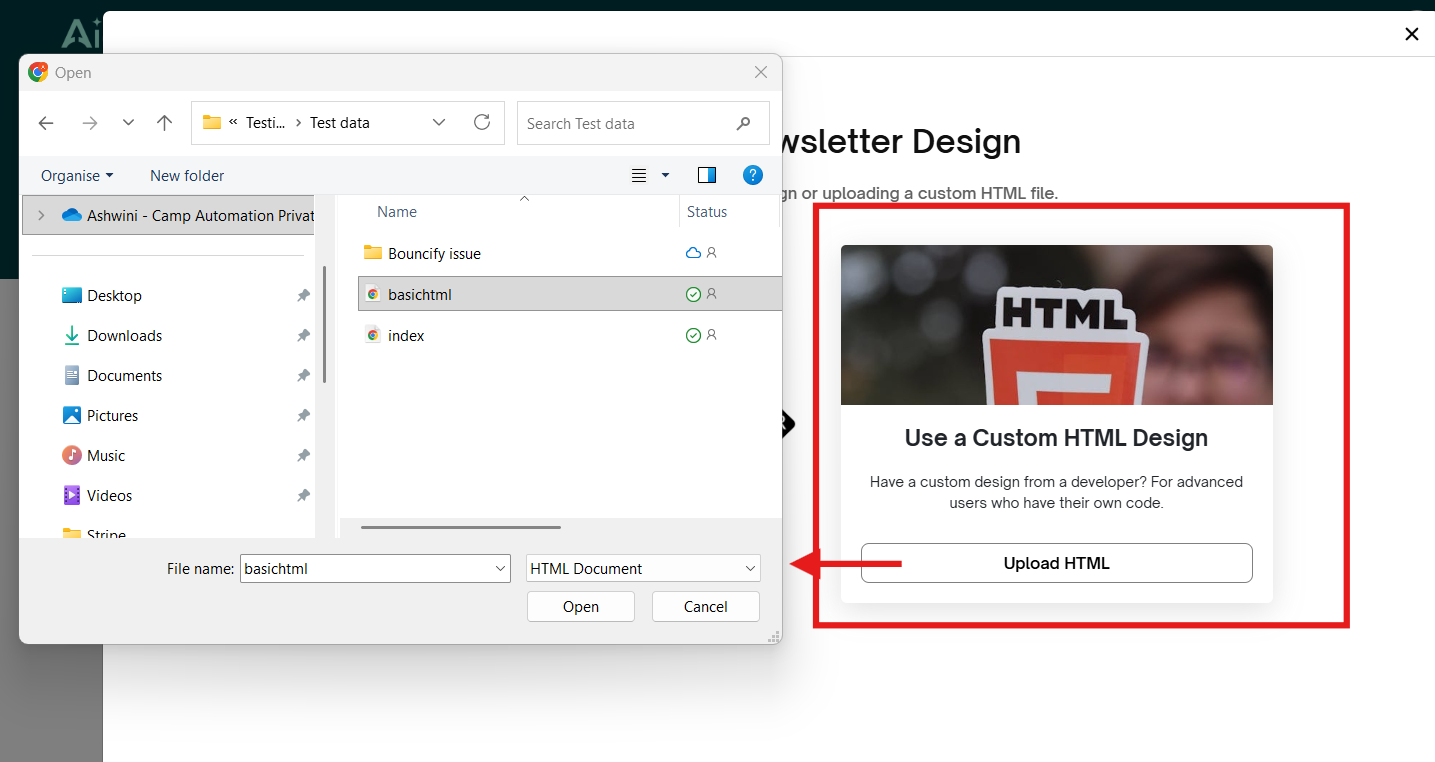
Use a Custom HTML Design
Select this option if you want to use your own HTML code for the newsletter layout.
Ideal for advanced users or teams with in-house designers who want full control over structure, branding, and styling.
Upload your custom HTML, and it will be applied as the base template for your newsletter.
After selecting either option, the Newsletter Editor will open, allowing you to edit the newsletter further.
Next ---> Newsletter Editor
Was this article helpful?
That’s Great!
Thank you for your feedback
Sorry! We couldn't be helpful
Thank you for your feedback
Feedback sent
We appreciate your effort and will try to fix the article